workflow-render
Show your n8n workflows on a portfolio, a blog or a docs page as interactive canvases instead of screenshots. Visitors can pan, zoom and open any node to inspect it, on a desktop or a phone. All it needs is the workflow's JSON file: no n8n instance, no login, no backend.
Try the live demo at workflowtools.dev
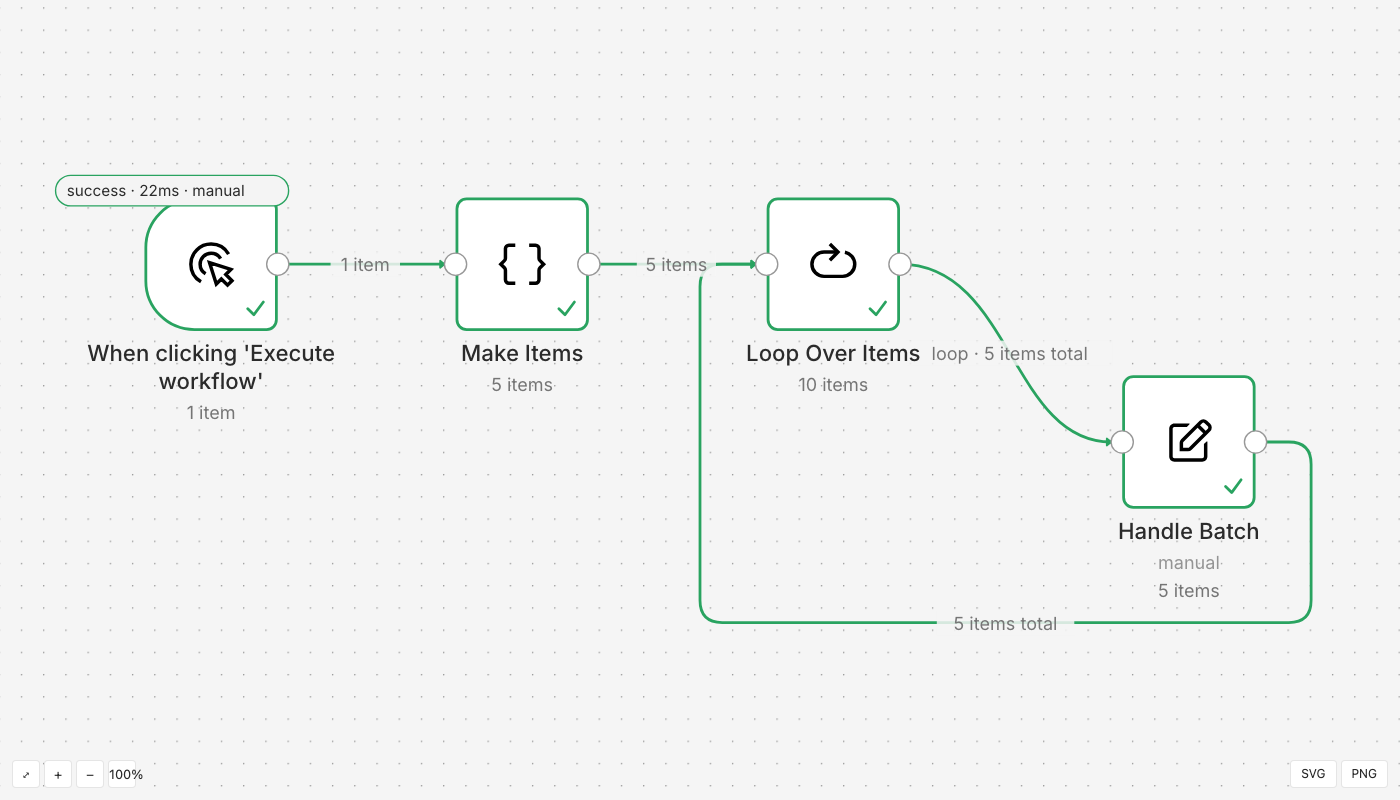
Installation
Requires Node.js 20 or newer.
Run it without installing:
npx workflow-render --help
Add it to a project:
npm install --save-dev workflow-render
Build from source:
git clone https://github.com/LudwigGerdes/workflow-render.git
cd workflow-render
pnpm install && pnpm build
Getting started
Download a sample execution and open it in the interactive viewer:
curl -LO https://raw.githubusercontent.com/LudwigGerdes/workflow-render/main/packages/core/test/fixtures/execution-loop.json
npx workflow-render view execution-loop.json --port 4777
Expected output:
workflow-render viewing execution-loop.json
  http://127.0.0.1:4777/
Press Ctrl+C to stop.
Open the URL, then pan, zoom and double-click a node to see what it received and produced. On a touch screen, tap the node.
To use a workflow of your own, open it in n8n and choose Download from the … menu.
Usage
Embed a workflow in a web page. Put the JSON file next to the page and point src at it:
<script type="module" src="https://cdn.jsdelivr.net/npm/workflow-render@0.4.0/dist/element/workflow-render.js"></script>

<div style="height: 600px">
  <workflow-render src="./workflow.json"></workflow-render>
</div>
Open one locally in the same viewer:
workflow-render view workflow.json --port 4777
Export a static image, for places that cannot run scripts, such as a GitHub README or a PDF:
workflow-render export workflow.json -o workflow.svg
workflow-render export workflow.json -o workflow.png --scale 3
Expected output:
wrote workflow.svg
wrote workflow.png
Render from Node.js:
import { renderToSVG } from 'workflow-render/core';

const { svg } = await renderToSVG(workflowJson);