Pre-commit, GitHub Actions and MCP
Pre-commit with lefthook
Add this to lefthook.yml in your repository, then run npx lefthook install.
pre-commit:
  parallel: true
  commands:
    lint-workflows:
      glob: '*.json'
      run: npx workflow-lint lint {staged_files} --fail-on error --no-error-on-unmatched-pattern
    format-workflows:
      glob: '*.json'
      run: npx workflow-lint fmt {staged_files} --check --no-error-on-unmatched-pattern
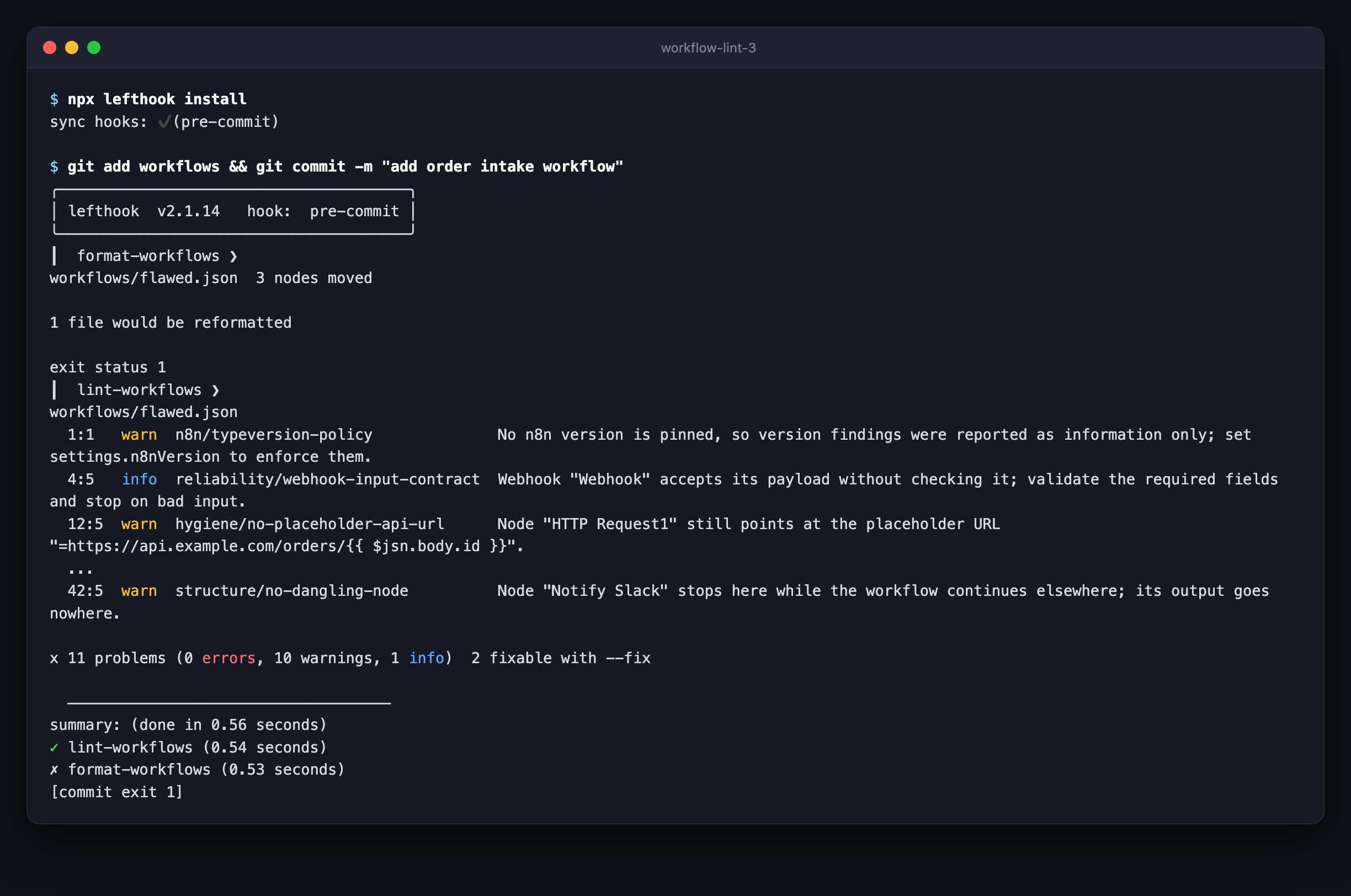
Two details matter if you change it:
- Keep the glob at
*.json. A file passed by name is always linted, so a staged README would be reported as an error. - Keep
--no-error-on-unmatched-pattern. The staged-file list includes files deleted in the same commit, and without the flag, deleting a workflow fails the hook.
Pre-commit with husky
# .husky/pre-commit
git diff --cached --name-only -z --diff-filter=d -- '*.json' \
  | xargs -0 -r npx workflow-lint lint --fail-on error --no-error-on-unmatched-pattern
git diff --cached --name-only -z --diff-filter=d -- '*.json' \
  | xargs -0 -r npx workflow-lint fmt --check --no-error-on-unmatched-pattern
GitHub Action
- uses: LudwigGerdes/workflow-lint@main
  with:
    paths: workflows/
    n8n-version: 2.38.3
    fail-on: error        # info | warn | error
    # config: workflow-lint.config.yaml
    # format: github-actions | stylish | json | sarif | junit
- Findings appear as inline annotations on the pull request.
- The action runs the published npm package, at the version that matches the action's tag.
GitHub code scanning
- run: npx workflow-lint lint workflows/ --format sarif > workflow-lint.sarif
  continue-on-error: true
- uses: github/codeql-action/upload-sarif@v3
  with:
    sarif_file: workflow-lint.sarif
MCP server
workflow-lint-mcp is a stdio MCP server in the same package as the CLI. An AI agent that uses it runs the same checks the CLI does. Claude Code, Cursor and similar clients take this shape:
{
  "mcpServers": {
    "workflow-lint": {
      "command": "npx",
      "args": ["-y", "-p", "workflow-lint", "workflow-lint-mcp"],
      "env": { "WORKFLOW_LINT_N8N_VERSION": "2.38.3" }
    }
  }
}
The server reads the nearest workflow-lint.config.yaml from its working directory on every call, plugins included, so it enforces what the CLI enforces. WORKFLOW_LINT_CONFIG names a config file instead.
Tools
| Tool | Returns |
|---|---|
lint_workflow | { path, findings[], summary: { errors, warnings, infos } } |
fix_workflow | { path, json, changed, remaining[] }. Safe fixes; unsafe: true adds the rest |
format_workflow | { path, json, moved, changed }. stickies: true also resizes sticky notes |
list_rules | Every rule, its level and whether it is fixable |
explain_rule | One rule's reference page |
The three workflow tools take exactly one of these inputs:
| Input | Meaning |
|---|---|
json | The workflow, as an object or a JSON string |
path | A file path relative to the server's working directory. It cannot leave that directory |
instance + workflowId | A workflow on your n8n instance. See below |
Anything that cannot be linted comes back as an MCP error, never as a clean result.
Reading from your n8n instance
This is off by default. Turn it on by setting both variables:
"env": {
  "WORKFLOW_LINT_N8N_API_KEY": "…",
  "WORKFLOW_LINT_N8N_INSTANCE": "https://n8n.example.com"
}
The server then fetches only from that instance. A request that names any other host is refused before anything is sent, so the API key cannot be steered elsewhere by untrusted workflow content. See SECURITY.md.